
Executive takeaway
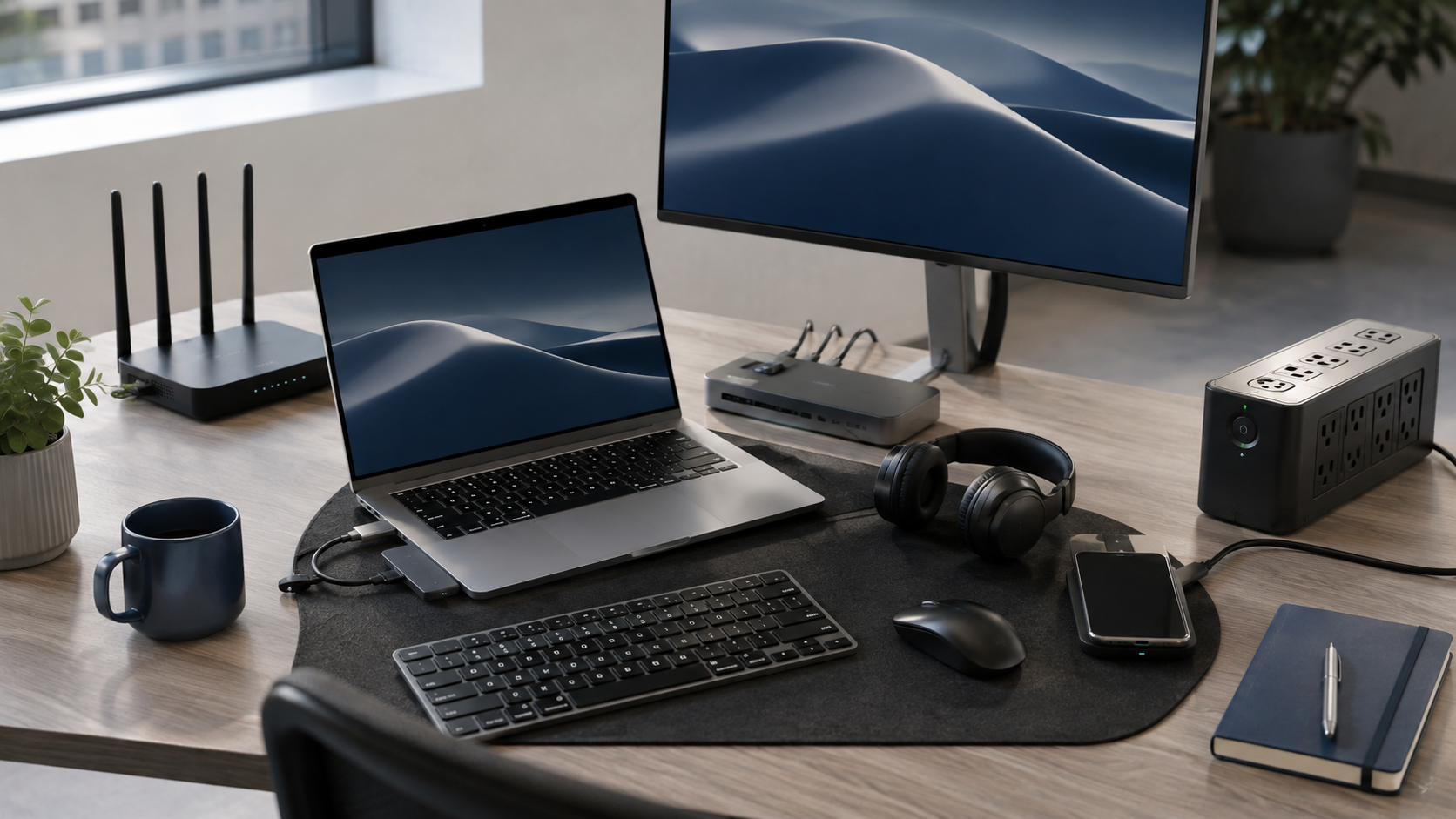
A productive workplace is an interconnected technology environment, not a collection of individual products. Computers depend on accessories, connectivity, software, power, security and support and overlooking even one of these can create unnecessary cost and disruption. Plan the complete requirement around how people actually work, and procurement becomes simpler, more reliable and easier to manage.
The laptop is not the workstation
Buying laptops feels like progress. And it is. But a laptop sitting alone on a desk is not necessarily a productive workstation.
Think about the person using it. Do they need a second screen, docking station, keyboard and mouse, headset, webcam, laptop bag, Ethernet adapter or USB-C charging? An accountant working with large spreadsheets may need something very different from a field employee who spends half the week travelling.
The useful question is not, “Which laptop should we buy?” It is, “What does this person need to do all day?” Ninety8 takes this broader approach across computers, monitors, accessories, networking, power and workplace electronics. Explore the full range at www.ninety8projects.co.za/products/.
- Plan the complete workstation, not only the computer.
- Match equipment to the employee's actual role.
- Include accessories in the original requirement.
The Wi-Fi password is not a network strategy
There is a big difference between having internet and having reliable internet everywhere people actually work.
A fast fibre connection entering the building does not automatically mean good Wi-Fi in the boardroom, warehouse or far corner of the office. Your environment may also need appropriate routers, switches, wireless access points, cabling and network security.
A fast internet line with terrible internal Wi-Fi is still terrible Wi-Fi. For larger workplace requirements, networking should be planned alongside the devices that depend on it. See Ninety8's approach at www.ninety8projects.co.za/solutions/.
- Internet speed and Wi-Fi coverage are different things.
- Plan routers, switches, access points and cabling together.
- Test connectivity where employees will actually work.
Count the plugs before you count the people
Modern desks quietly consume an impressive number of power sockets.
A laptop charger, monitor, second monitor, dock, phone charger and other equipment can turn a single workstation into a small electrical ecosystem. Then somebody arrives with a kettle.
Power distribution, surge protection and backup power should be considered during the office setup rather than after every multiplug in the building has mysteriously disappeared under someone's desk. Explore workplace technology and power options at www.ninety8projects.co.za/products/.
- Count power requirements per workstation.
- Consider surge protection for valuable equipment.
- Include power planning before installation begins.
“But we have electricity today” is not a continuity plan
Power resilience remains an important part of workplace technology planning in South Africa.
The useful question is simple: what absolutely needs to keep working when the power does not? That might include fibre equipment, routers, switches, security equipment, critical computers or selected workstations.
Not every organisation needs a massive backup system. Every organisation should, however, understand what happens to its operations during an outage. Ninety8 can help bring power requirements into the broader workplace technology plan at www.ninety8projects.co.za/how-we-help/.
- Identify business-critical equipment.
- Prioritise what requires backup power.
- Plan resilience before an outage occurs.
Software is part of the setup
Your shiny new laptop has arrived. Fantastic. Can the employee actually do anything with it?
Consider productivity applications, business email, cloud storage, collaboration tools, endpoint protection, backup, CRM systems and role-specific software. Then consider who needs access, who approves it and what happens when somebody joins or leaves the company.
Good software procurement starts with the user and the work they need to perform rather than simply choosing licences from a price list. Explore Ninety8 Software & Cloud at www.ninety8projects.co.za/software-cloud/.
- Include software when planning new devices.
- Match licences and permissions to job roles.
- Track licence renewals and unused subscriptions.
Your old PCs deserve an awkward conversation
There is usually a computer somewhere in the business that apparently cannot be replaced because “it still works.”
Sometimes keeping older equipment is perfectly sensible. Sometimes “still works” means it takes seven minutes to start, freezes whenever someone opens Excel and makes a sound vaguely resembling a helicopter.
The better approach is to decide deliberately whether equipment should be upgraded, repaired, reassigned, replaced or responsibly retired. Ninety8 Renew helps businesses think about technology across its full lifecycle. Learn more at www.ninety8projects.co.za/renew/.
- Do not replace equipment purely because it is old.
- Do not keep equipment purely because it still switches on.
- Assess repair, upgrade, reuse and replacement options.
Cybersecurity starts before the suspicious invoice arrives
Security should not be something added after the rest of the technology environment has already been installed.
Think about multifactor authentication, endpoint security, backups, software updates, user permissions, device management and recovery responsibilities. Employee awareness matters too.
The most sophisticated security system in the world still has a difficult job when someone enthusiastically enters their password into a questionable login page. Security works best when technology, access and user behaviour are planned together. Explore www.ninety8projects.co.za/software-cloud/.
- Use multifactor authentication where possible.
- Protect endpoints and keep software updated.
- Combine technology controls with user awareness.
The meeting room will expose every shortcut you took
Meeting rooms have a remarkable ability to stop working exactly three minutes before the most important presentation of the month.
A complete meeting-room setup may involve a display, conferencing equipment, camera, microphone, speakers, adapters, cabling and reliable connectivity.
The real test is simple: can an employee walk into the room, connect and start the meeting without calling somebody for help? If not, the room probably is not finished. Explore complete workplace solutions at www.ninety8projects.co.za/solutions/.
- Design the room around the meeting experience.
- Test different employee devices before launch.
- Do not forget adapters, cameras, audio and cabling.
Printers are apparently immortal
People have been predicting the death of the office printer for years. The printer has chosen not to participate.
Depending on your organisation, you may still need printing, scanning, labels, specialist document equipment and recurring consumables.
The mistake is buying the machine without considering toner availability, print volumes, colour requirements, scanning, network access and maintenance. It is much easier to plan these things than to discover the toner is empty five minutes before someone needs 30 copies of a tender document. Browse workplace products at www.ninety8projects.co.za/products/.
- Consider running costs, not only purchase price.
- Estimate realistic print volumes.
- Plan consumables and maintenance in advance.
Five suppliers can turn one desk into a project
The laptop comes from Supplier A. The monitor comes from Supplier B. The dock comes from Supplier C. Supplier D handles networking. Supplier E supplies the software.
Then the docking station does not work properly with the laptop and five organisations suddenly become very interested in explaining why the problem belongs to somebody else.
Technology procurement works better when the requirement is coordinated as one environment. Devices, accessories, software, networking, power and support should make sense together. See how Ninety8 approaches coordinated procurement at www.ninety8projects.co.za/how-we-help/.
- Coordinate related technology purchases.
- Check compatibility before ordering.
- Reduce unnecessary supplier fragmentation.
Write down what you actually ordered
This sounds obvious. Six months later, however, “we bought a few HPs around March-ish” is not an asset register.
Keep useful records of device models, serial numbers, warranties, assigned users, software licences, renewal dates and support information.
The same discipline should happen before purchasing. Document users, quantities, known specifications, delivery locations, deadlines and the factors that matter when comparing options. Ninety8's procurement resources can help at www.ninety8projects.co.za/procurement/.
- Record equipment and serial numbers.
- Track warranties and licence renewals.
- Start with a clear procurement requirement.
Plan Day One and Day 1,000
A technology decision should not end when the courier leaves.
Think about the entire useful life of the equipment. How long should it serve the organisation? Can it be upgraded? What warranty applies? Can it later be reassigned? How will business data be handled when the device eventually leaves the organisation?
The cheapest purchase is not automatically the lowest-cost decision. Good procurement considers deployment, support, repair, reuse, refresh and eventual retirement. Explore lifecycle options through www.ninety8projects.co.za/renew/.
- Consider total lifecycle cost.
- Plan for repair, upgrade and reassignment.
- Decide how equipment will eventually be retired.
The real checklist is the whole workplace
Business technology is full of dependencies. A laptop needs power. A user needs software. Software needs access. Cloud services need connectivity. Connectivity needs networking. Networking may need backup power. Everything needs security.
So instead of asking, “What equipment do we need to buy?” ask, “What needs to be true for our people to work properly from Day One?”
Answer that question first and the shopping list becomes considerably easier. There is also a much lower chance of Monday morning being spent hunting for an HDMI adapter.
- Think about the workplace as one technology ecosystem.
- Start with employee requirements rather than products.
- Coordinate hardware, software, connectivity, power and lifecycle planning.